Money In, Money Out, and Transfers
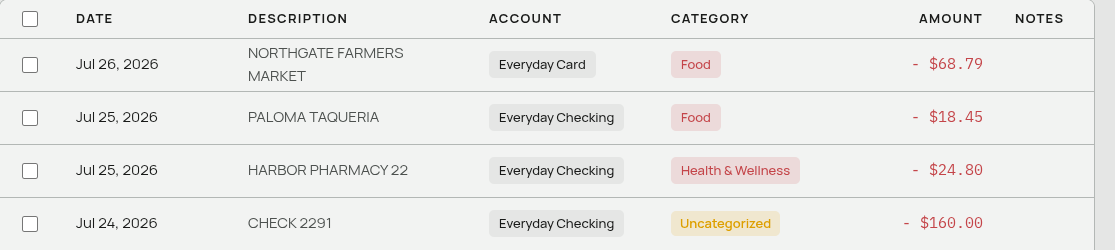
Every transaction in Aventurine points in one of three directions.
| Direction | Meaning | Colour |
|---|---|---|
| Income | Money arriving from outside. | Green |
| Expense | Money leaving to outside. | Red |
| Transfer | Money moving between two accounts you own. | Blue |
Why transfers are separate
Say you move $500 from checking into savings.
If that counted as spending, your expenses would be 500 higher than what you actually spent, and your savings would look like a cost. If it counted as income when it arrived, you would appear to have earned 500 you did not earn.
So transfers are excluded from every income and spending figure in the app: the Cash Flow bars, the Spending chart, the statement totals. They get their own bar on the dashboard so the money is still visible, but it never inflates either side.
What counts as a transfer: moving money to savings, contributing to a brokerage or retirement account, paying off your own credit card, moving money between your own banks.
What does not: paying rent (that money left for good), a paycheck arriving (that money came from outside).
How the direction is decided
A categorized transaction takes its direction from its category. Always.
Rent / Mortgage is an Expense category, so anything filed under it is an expense. Savings is a Transfer category, so anything filed there is a transfer. There is no way for a transaction to disagree with its category, which is why the Type dropdown greys out as soon as a category is selected.
The consequence is that if you change a category’s type, every transaction under it changes with it — retroactively, across all your history. See Categories.
An uncategorized transaction keeps its own direction. This is the only case where the app has nothing to derive from, so the Type dropdown is editable and the value you set is used. That is how uncategorized money still lands on the right side of your statement.
Where the direction comes from on import
The app reads it out of your file, in one of two ways.
A single amount column with signs. Negative means money out, positive means money in. This is what most banks do.
Separate Debit and Credit columns. Direction comes from which column has the number in it, not from its sign — banks usually put positive numbers in both. Debit means out, Credit means in. Aventurine detects this layout automatically. See Matching Your Columns.
Every imported row therefore arrives as either income or expense, before any categorization happens.
How transfers get recognized
The built-in categorizer can turn an imported outgoing payment into a transfer — a debit to a known brokerage is a contribution, not spending — but it is deliberately cautious about it.
It follows two rules:
- It never flips a direction. Something your file says is money in never becomes money out, or the reverse.
- It only refines outflows. An outgoing payment may be refined from “expense” to “transfer” when the merchant is clearly your own account. An incoming payment is never refined, because money arriving from a brokerage is a withdrawal, not income, and the app cannot tell the difference reliably enough to say so.
So money you move out to savings is often recognized. Money moving in from your own accounts usually arrives uncategorized, and you file it yourself — after which it is remembered.
There is no automatic pairing of the two sides of a transfer. Moving $500 from checking to savings shows up as two rows if you import both accounts: one leaving checking and one arriving in savings. Categorize both as transfers and neither will distort your income or spending.
Amounts are always positive
Aventurine stores every amount as a plain positive number and keeps the direction separately. The - or + you see in the ledger is the direction being displayed, not part of the stored figure.
This is why the Amount filter treats “over 100" as "bigger than 100 either way”, and why exports contain magnitudes with the direction expressed by the format’s own convention.
Related: Categories · Automatic Categorization · The Transactions Page