The Monthly Routine
Aventurine is designed around one visit a month. Here is what that visit looks like once you are set up.
The five-minute version
- Download last month’s export from each account you track.
- Import each one: Transactions → Import → pick the account → pick the file → Looks Right.
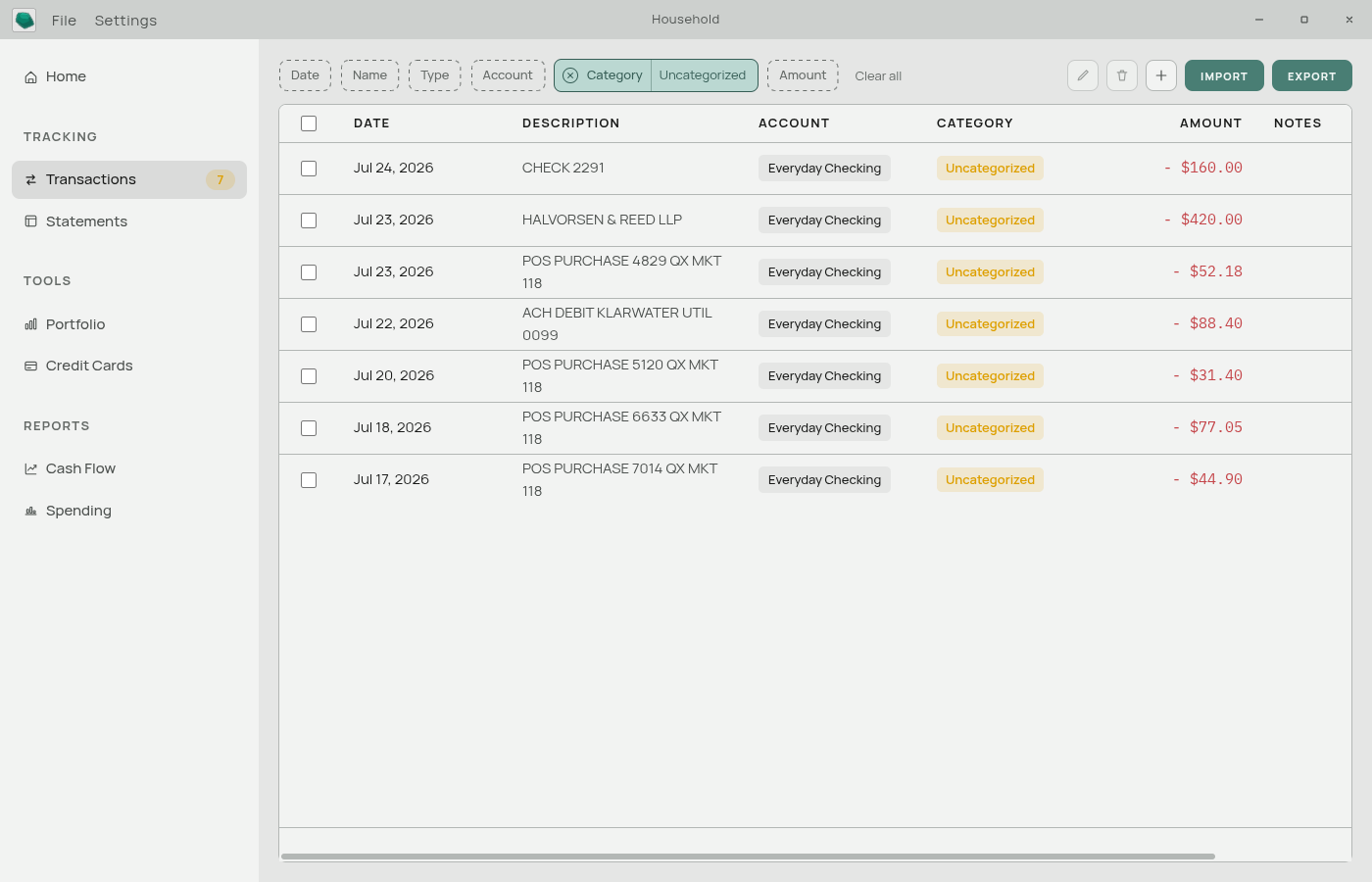
- Clear the badge. The sidebar shows how many transactions have no category. Filter to Uncategorized, set the ones that matter, and use “find similar” so you only do each merchant once.
- Glance at the dashboard. Step the month picker back to the month you just imported.
That is the whole routine. Everything else — statements, charts, net worth, the forecast — updates itself from those transactions.
Why once a month
Aventurine has no live connection to your bank, so there is nothing to check hourly. Its numbers change when you import, and bank exports are naturally a monthly artefact.
There is a second reason. Finance apps are abandoned when they become a chore. A daily app you have to feed by hand gets abandoned in three weeks. A monthly app that does the tedious part for you gets kept.
Doing it more often
Nothing stops you importing weekly, or twice a month. Duplicate detection means overlapping date ranges are safe: if you import 1–15 January and then import 1–31 January, the first half is recognized and pre-unchecked, and only the new rows are added. See Duplicate Transactions.
Doing it less often
Also fine. Import six months at once if you like — Aventurine creates the statement years it needs and files everything into the right months automatically. See Statement Years.
The only thing that suffers from long gaps is the forecast, which projects forward from your history and works best when that history runs up to the present.
What gets better over time
Categorization. Every category you set by hand becomes a rule. Your second import is more complete than your first; your sixth is close to done. See Automatic Categorization.
The charts. Spending trends, year-to-year comparisons, and net worth all need months of history before they say anything interesting.
The forecast. It looks for recurring bills and paychecks in your history. Three occurrences of something is the minimum before it counts as a pattern, so a rent payment becomes visible in the projection after about three months of data.
A good habit to add
Once every few months, copy your database file somewhere safe. It holds everything, and Aventurine does not back it up for you. See Backing Up Your Data.
Related: Importing Transactions · The Dashboard · Finding Transactions